Describe the job. Get a price you can send.
Skaffold turns a few words about a job into an itemized estimate with materials, labor and margin. Send it as a quote, get it signed, invoice it and get paid by card, all from your phone.
Or price a job free, no signup
Free for 14 days. No credit card needed to start.
Work order 1042
For Dana R., Columbus OH
What the customer asked for
“Redo the hall bathroom: new tile floor and vanity, plus a GFCI outlet and a circuit for the exhaust fan.”
- Demo tile floor and vanity, haul away (6 hrs)$480
- Porcelain tile and setting materials, 40 sq ft$520
- Set and grout tile floor (10 hrs)$800
- 36 in vanity with top$650
- Install vanity, reconnect plumbing (4 hrs)$320
- Electrician: GFCI outlet and fan circuit (sub)$450
Made for the jobs you actually quote
General contractors and remodelers
Kitchens, baths and additions with your subs’ costs, deposits, change orders and progress billing.
Skaffold for general contractorsElectricians
Panel upgrades, circuits and service calls priced with parts and hours before you leave the site.
Skaffold for electriciansPlumbers
Water heaters, repipes and fixture swaps quoted on the spot and paid by card.
Skaffold for plumbersHVAC
System replacements and installs with equipment, labor and margin laid out line by line.
Skaffold for HVACRoofers
Tear-offs, repairs and flat roofs estimated by the square, signed on the customer’s phone.
Skaffold for roofersHandymen
Punch lists with six different tasks, priced in the driveway before the next call.
Skaffold for handymen
From the first walkthrough to money in the bank
Price it
Type or say what the customer wants. Skaffold drafts the line items: materials, hours at your labor rate, and margin. Change anything before it goes out.
Send the quote
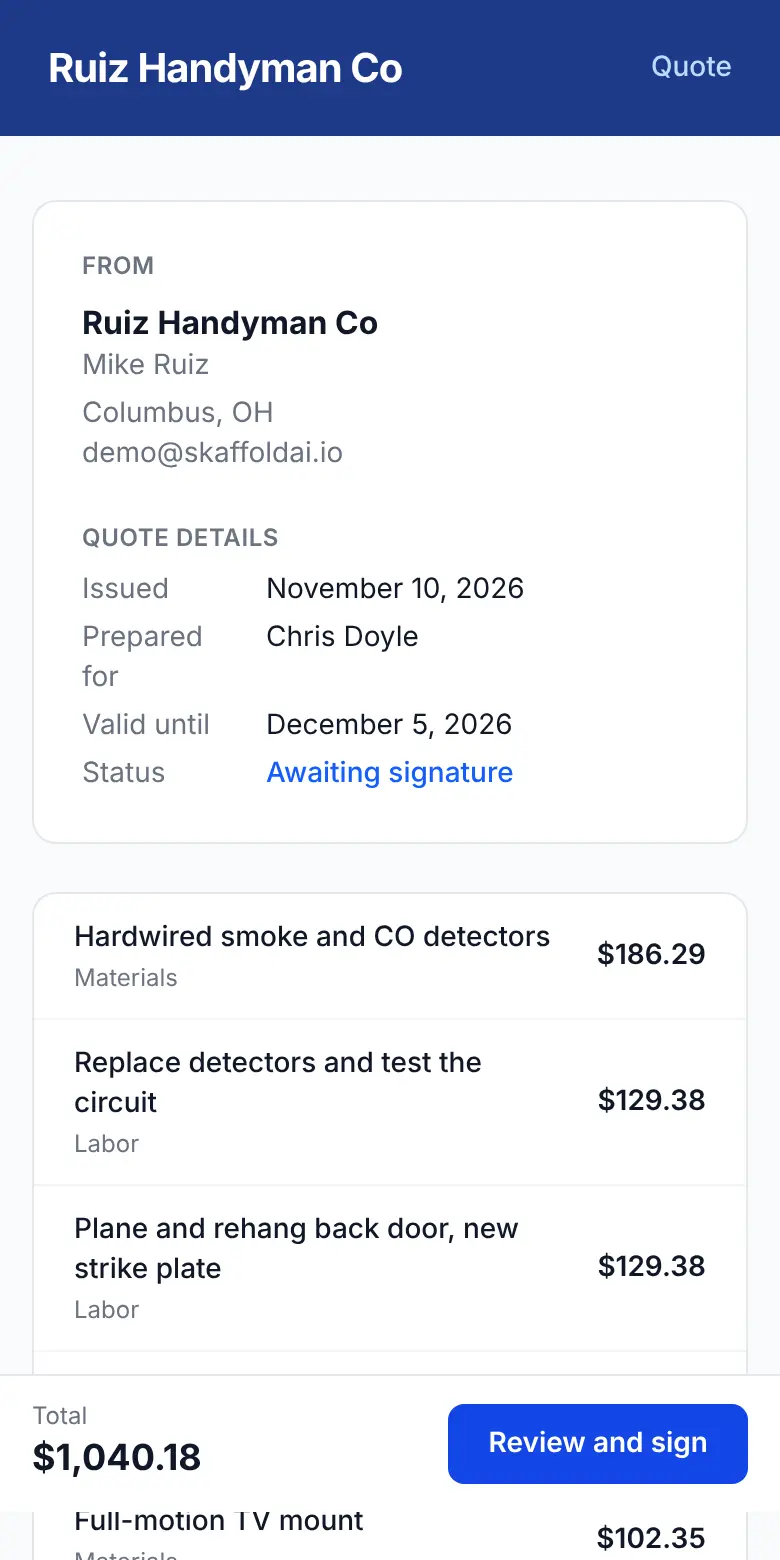
The estimate becomes a quote your customer opens on their phone and signs. You see the moment they accept.
Run the job
Keep photos, expenses, mileage, change orders and progress on the job, so nothing lives in your texts.
Get paid
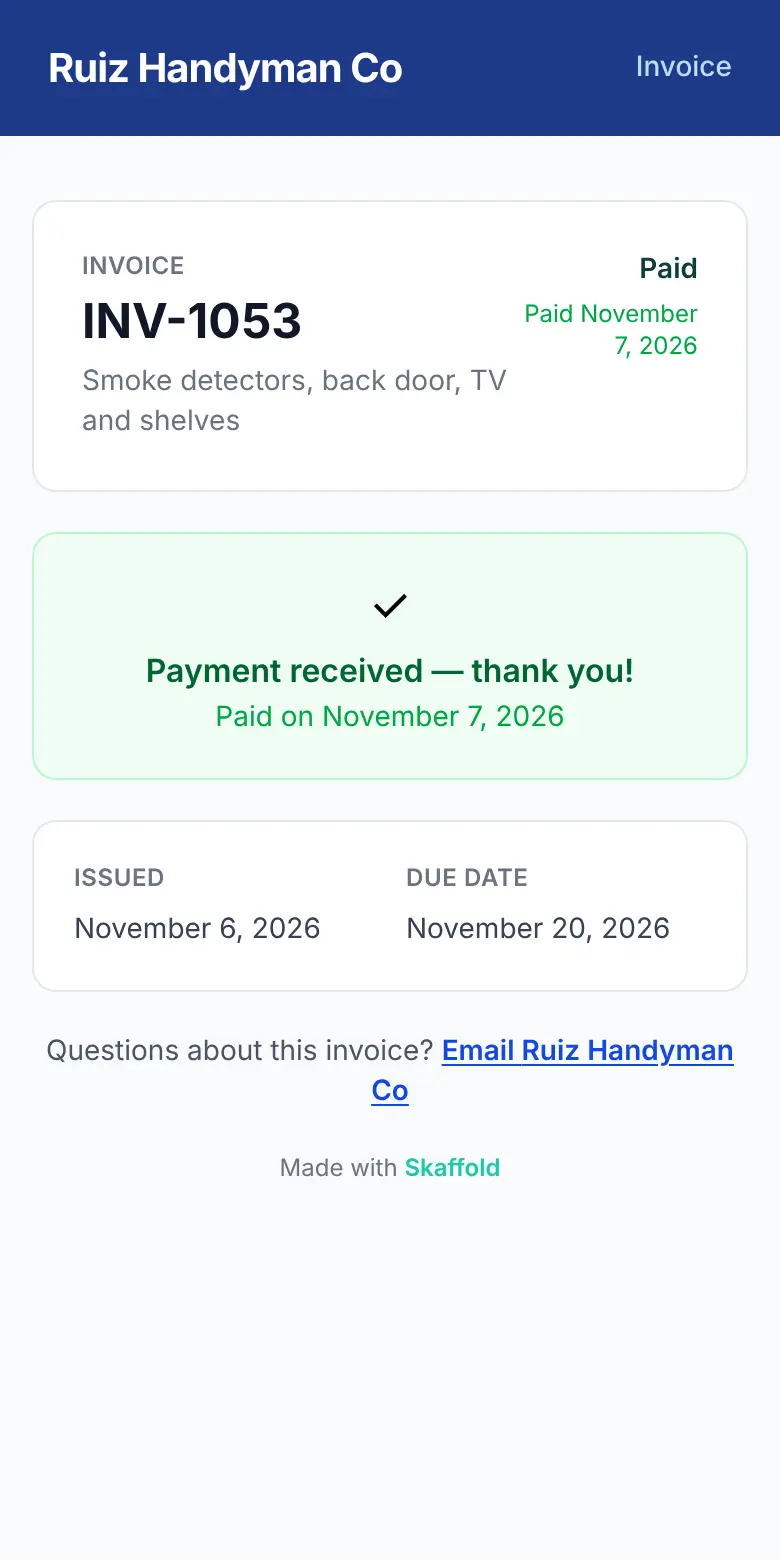
Turn the job into an invoice in one tap. Your customer pays by card from the link, and late invoices get a reminder.
What your customer sees
A clean quote with your business name on it, signed with a thumb. Then an invoice they pay by card. Your labor rate and markup never show.
Real Skaffold screens with demo data.
Everything on both plans
No add-ons to unlock payments or e-signature. The only difference between plans is how many people log in.
- AI estimates
- Fixed labor rates by trade, adjusted for your state, with every assumption written down.
- Quotes with e-signature
- Customers sign on their phone. Quotes can expire so old prices don’t come back to bite you.
- Card payments on every invoice
- Payments run through Stripe and land in your bank account.
- Deposits and progress billing
- Bill a deposit up front and the rest in stages as the work gets done.
- Change orders
- Extra work gets priced, approved and added to the job total.
- Customer portal
- One link shows your customer progress, photos and what they owe.
- Expenses, mileage and receipts
- Snap a receipt and it’s logged against the job for tax time.
- Crew logins
- On the Crew plan, up to five people share jobs, with roles that keep pay and margins private.
One price per month. Cancel any time.
Pick Solo if it’s just you. Pick Crew when someone else needs a login.
Solo for 1 user
For the owner-operator doing it all
- AI estimates by trade and location
- Quotes with client e-signature
- Invoices with online card payments
- Jobs, expenses, mileage and change orders
- Client portal for every job
Crew for up to 5 users
For small crews sharing jobs and estimates
- Everything in Solo
- Up to 5 users with roles
- Shared jobs, estimates and calendar
- Time tracking across your crew
- Priority support
14-day free trial on both plans. No credit card required to start. Prices in USD.
Questions before you start? Email support@skaffoldai.io. We read every email.
Questions contractors ask us
Will the AI price jobs the way I do?
It starts from fixed labor rates for your trade and typical materials prices, adjusted for your state. Every line is editable before anything goes to a customer, and you can save templates for the jobs you do all the time. Think of it as a fast first draft, not a final price.
Do I need a computer?
No. Skaffold runs in your phone’s browser, so you can price a job in the driveway and send the quote before you leave. There’s no app to install yet.
How do customers pay me?
Every invoice has a secure Stripe payment link for card payments. You can also mark cash or check payments as received.
What does it cost after the trial?
Solo is $25 a month for one person. Crew is $89 a month for up to five. The first 100 Solo customers keep $15 a month for life. No contract and no setup fee.
How is this different from Jobber?
Jobber is built around scheduling and dispatching service crews. Skaffold is built around pricing the job and getting paid for it, which is where most contractors and trades lose time.
Can I cancel any time?
Yes. Cancel from settings and you won’t be charged again. Your data stays available to export.
Price your next job in Skaffold
Try it on a real job this week. If the estimate saves you an evening of paperwork, keep it.
Free for 14 days. No credit card needed to start.